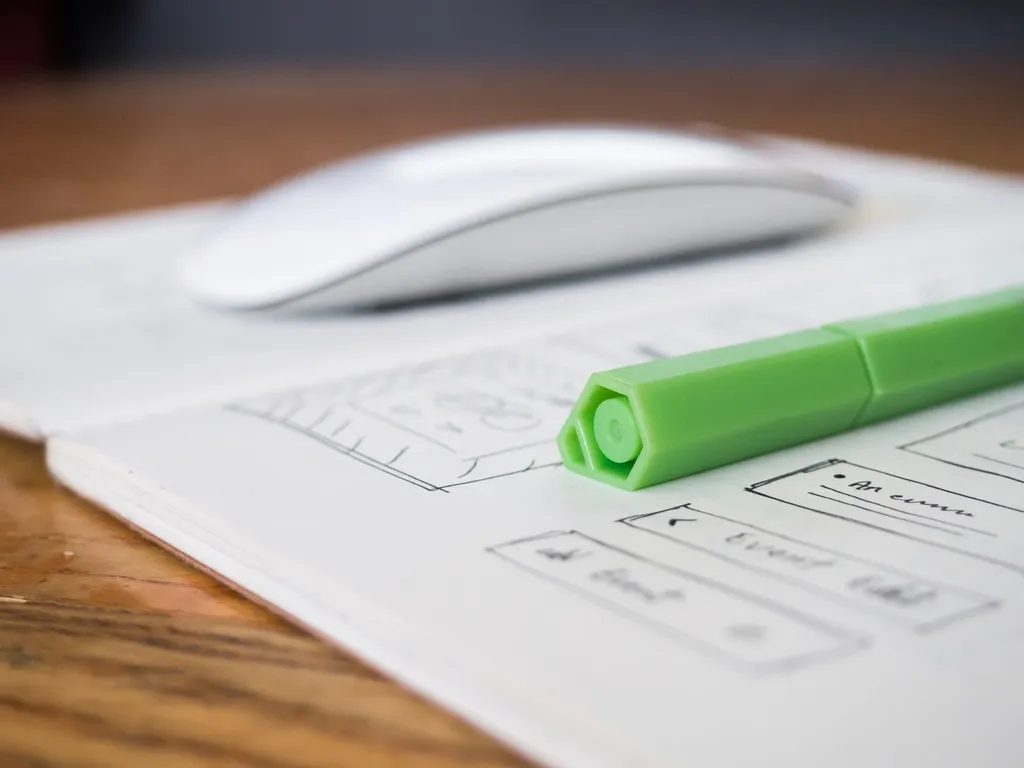
Every click, every scroll, every form submission on a website or app tells a story — a user's journey to achieve a goal. But when these journeys are left unexamined, they can quickly become labyrinths of confusion, frustration, and ultimately, abandonment. For anyone involved in crafting digital experiences, understanding these paths is not just helpful; it's absolutely essential for success. This is where user flow mapping steps in, transforming abstract interactions into a clear, actionable roadmap.
User flow mapping is a powerful technique that helps designers, developers, and product managers visualize and analyze the complete sequence of steps a user takes to accomplish a specific task within a digital product. It's more than just drawing boxes and arrows; it's about stepping into your user's shoes, anticipating their decisions, and proactively designing paths that are intuitive, efficient, and delightful. In this comprehensive guide, we'll demystify user flow mapping, explore its critical role in UX, and provide a step-by-step approach to creating effective maps that drive real improvements.
What Exactly is User Flow Mapping?
At its core, a user flow map is a visual representation of the path a user takes through a website or application to complete a specific task. Unlike a site map, which shows the structure of a website, or a user journey map, which encompasses a broader, more holistic view of a user's experience with a brand (often including offline interactions), a user flow map zeroes in on the interactions *within* a product. It details the sequence of screens, actions, and decisions a user encounters from their entry point to their desired outcome.
Think of it as a blueprint for a user's interaction with your digital product. If a user wants to buy a product, reset a password, or sign up for a newsletter, a user flow map illustrates every single step they take: where they land, what they click, what forms they fill, and what choices they make. This granular view is invaluable for uncovering potential roadblocks and streamlining complex processes.
The primary purpose of creating these maps is to understand user intent, predict user behavior, and ensure that the design facilitates the most efficient and satisfying route to task completion. By visualizing these paths, teams can identify points of friction, discover opportunities for simplification, and ultimately design more intuitive and user-friendly interfaces.
Why User Flow Mapping is Crucial for Superior UX
In the fast-paced world of web design and development, building a great product isn't enough; it must also be easy to use. User flow mapping provides a critical lens through which to examine and optimize usability. It moves beyond assumptions and provides concrete, visual evidence of how users interact with your product, enabling data-driven decisions.
For designers, it's a foundational step that informs wireframes and prototypes, ensuring that early designs are aligned with user goals. For developers, it clarifies the required functionality and potential states, reducing misinterpretations during implementation. And for stakeholders, it offers a clear, high-level overview of key user journeys, fostering alignment and shared understanding across the entire team.
- **Identifies Friction Points**: Pinpoints where users might get stuck, confused, or frustrated, leading to higher bounce rates or task abandonment.
- **Uncovers Conversion Blockers**: Reveals obstacles in critical paths like checkout processes or sign-up flows, directly impacting business goals.
- **Streamlines Complex Processes**: Breaks down intricate tasks into manageable steps, making the overall experience feel simpler and more intuitive.
- **Improves Onboarding Experiences**: Ensures new users can easily understand and utilize core functionalities from their very first interaction.
- **Facilitates Team Alignment**: Provides a shared understanding of user journeys among designers, developers, product managers, and marketing teams.
- **Prioritizes Development Efforts**: Helps teams focus on optimizing the most critical user paths, ensuring resources are allocated effectively.
Key Components of an Effective User Flow Map
While there's no single universal standard, most user flow maps utilize a common set of shapes and symbols derived from traditional flowcharting. These visual cues help to quickly convey information about different interaction types, making the map easy to read and understand by anyone on the team. Consistency in symbol usage is key to clarity.
- **Start/End Points (Oval)**: Indicates where a user journey begins (e.g., landing page, email link) and where it concludes (e.g., confirmation page, logout).
- **Process/Action Steps (Rectangle)**: Represents a specific action a user takes (e.g., 'Clicks 'Add to Cart'', 'Fills out form') or a system process (e.g., 'Validates credentials').
- **Decision Points (Diamond)**: Signifies a point where the user makes a choice or the system evaluates a condition, leading to different paths (e.g., 'Is item in stock?', 'User selects 'Login' or 'Register'').
- **Input/Output (Parallelogram)**: Often used to represent data being entered by the user (e.g., 'Enters shipping address') or information being presented to the user (e.g., 'Displays search results').
- **Connectors/Arrows (Lines)**: Directed lines showing the progression from one step to the next, indicating the flow of the user's journey.
- **Annotations (Text Labels)**: Supplemental text used to provide context, explain specific interactions, highlight pain points, or detail user thoughts and feelings at a particular stage.
By combining these elements, you construct a narrative of interaction. Each shape represents a moment in time, and the arrows connect these moments, illustrating the dynamic journey of the user. The clarity of these symbols allows complex interactions to be broken down into digestible, understandable segments.
Step-by-Step: Crafting Your First User Flow Map
Creating a user flow map doesn't require advanced software or artistic talent; it requires a clear understanding of your users and their goals. Follow these steps to build an effective map that truly helps improve your UX.
1. Define Your Goal and User Persona
Before drawing anything, identify the specific task or goal you want to map. Is it 'User signs up for an account,' 'User purchases an item,' or 'User resets their password'? Be as specific as possible. Next, consider the primary user persona attempting this task. What are their motivations, pain points, and existing knowledge? This context will guide your mapping process.
For example, if your goal is 'User purchases a product,' consider your persona: 'Sarah, a busy professional looking for a quick, hassle-free online shopping experience.' This helps you anticipate her needs and potential frustrations.
2. Identify Entry Points and User Actions
Where does the user's journey begin for this specific task? Is it from a search engine, a social media ad, an email link, or directly from your homepage? Mark this as your starting point. Then, meticulously list every single action the user takes, and every screen or state they encounter, to achieve their goal. Don't skip any steps, no matter how small they seem.
For our 'purchase product' example, this might include: 'Lands on product page' -> 'Adds to cart' -> 'Clicks 'Checkout'' -> 'Enters shipping info' -> 'Selects payment method' -> 'Confirms order'. Detail is crucial here to capture the real experience.
3. Map Decisions and Outcomes
Introduce decision points (diamonds) where the user has a choice or where the system presents conditional paths. For instance, after 'Enters shipping info,' a decision might be 'Does user have an account?' leading to 'Login' or 'Guest Checkout' paths. Always map both the 'happy path' (the ideal, successful journey) and alternative paths, including error states and edge cases.
Consider what happens if a user provides invalid payment information, or if an item is out of stock. Mapping these alternative outcomes is vital for creating a robust and resilient user experience. Each decision point will branch off into different subsequent steps.
4. Refine, Validate, and Iterate
Once your initial map is complete, review it critically. Does it accurately reflect the current (or desired) user experience? Are there any missing steps, unnecessary detours, or areas of potential confusion? Share your map with team members, especially developers and other designers, to gather feedback and ensure alignment. Even better, validate it with actual users through testing.
User flow maps are living documents. As your product evolves and user behavior changes, your maps should be updated. Regular review and iteration ensure they remain relevant and continue to serve as valuable tools for optimizing UX.
Choosing the Right Tools for the Job
You don't need expensive software to start user flow mapping. A whiteboard and sticky notes, or even just pen and paper, are excellent for initial brainstorming and quick iterations. This low-fidelity approach encourages collaboration and focuses on the logic rather than the aesthetics.
For more detailed, shareable, and collaborative maps, several digital tools are highly effective. Platforms like Figma (with plugins), Miro, Lucidchart, Whimsical, and Draw.io offer intuitive drag-and-drop interfaces for creating professional-looking flowcharts. These tools often come with pre-built libraries of common shapes, collaborative features, and export options, making them ideal for remote teams and detailed documentation. The key is to choose a tool that fits your team's workflow and budget, enabling clear communication without becoming a bottleneck.
Common Pitfalls to Avoid
While user flow mapping is a powerful technique, certain mistakes can diminish its effectiveness. One common pitfall is **over-complication**. Trying to map every single micro-interaction or every possible scenario onto a single, sprawling map can make it unreadable and overwhelming. Focus on specific, well-defined tasks or segments of a user journey.
Another error is **mapping only the 'happy path.'** Real users encounter errors, change their minds, or get distracted. Neglecting error states, alternative decisions, or recovery paths means you're only seeing half the story. Always account for what happens when things don't go perfectly. Finally, **failing to iterate or validate** renders the map static and potentially inaccurate. User behavior and product functionality evolve, and your maps should too.
Integrating User Flows with Your UX Workflow
User flow maps are not standalone artifacts; they are integral to a holistic UX design process. They serve as a bridge between initial research (like user personas and journey maps) and subsequent design deliverables (like wireframes and prototypes). A well-defined user flow can directly inform the structure and content of your wireframes, ensuring that each screen supports the user's progression through the task.
Furthermore, user flows are excellent communication tools for developer hand-off. They clearly articulate the expected sequence of interactions and system responses, reducing ambiguity and potential rework. When combined with user testing, they provide a strong framework for identifying usability issues and measuring the efficiency of task completion, making them a foundational element in any design and development sprint.
Key Takeaways for Improved UX
User flow mapping is more than just a diagramming exercise; it's a strategic approach to understanding, designing, and optimizing user experiences. By visualizing every step a user takes, designers and developers can gain profound insights into user behavior, identify pain points, and craft intuitive, efficient, and enjoyable digital products. Embrace user flow mapping as a core component of your UX toolkit, and you'll be well on your way to building truly exceptional websites and applications that resonate with your audience and achieve their intended goals.
Sources & Further Reading
- User Flows — Interaction Design Foundation
- Customer Journey Maps — Interaction Design Foundation
- User experience design — Wikipedia