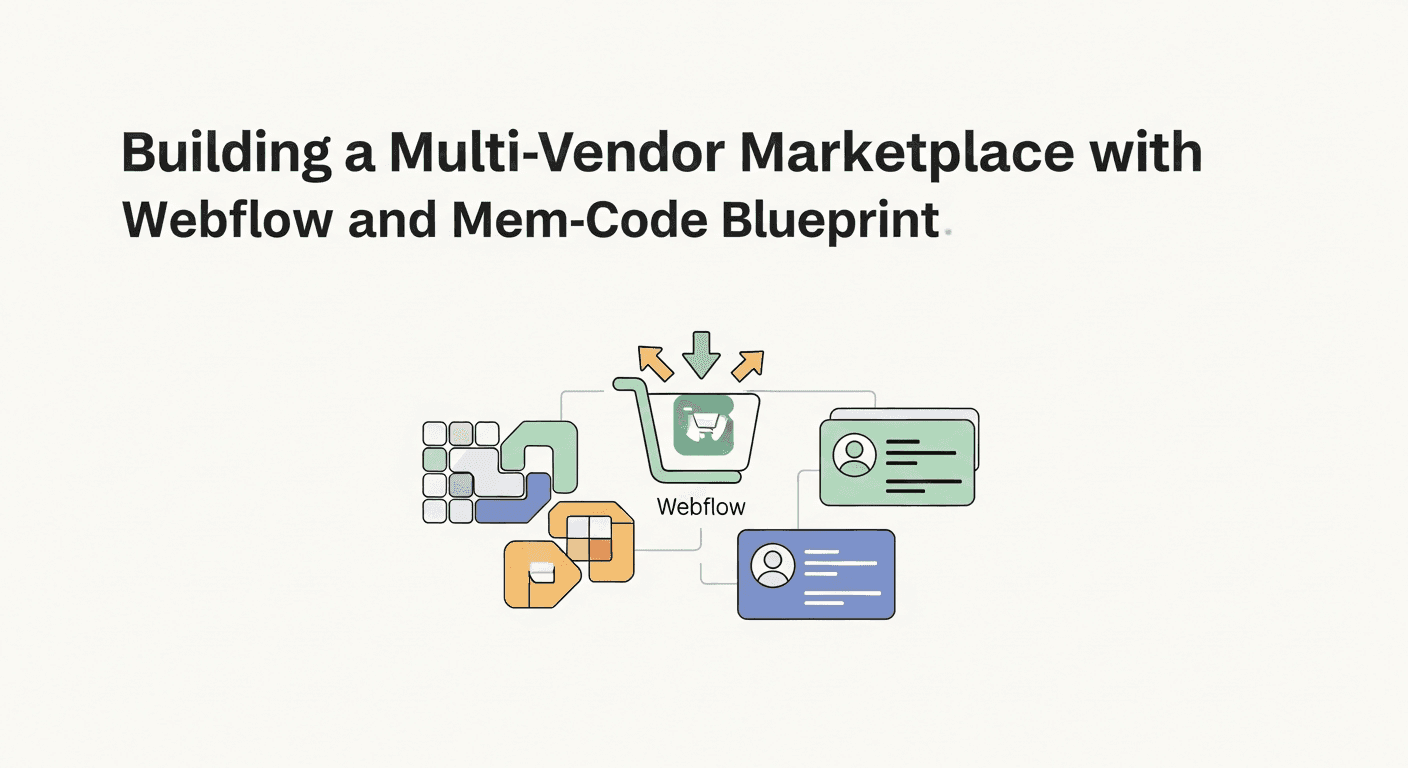
The allure of online marketplaces is undeniable. Platforms like Etsy, Airbnb, and Fiverr have revolutionized how we buy, sell, and connect, demonstrating the immense potential of a curated ecosystem where multiple vendors can offer their goods or services to a broad audience. Traditionally, building such a complex platform required significant technical expertise, a large budget, and a development team dedicated to intricate database structures, user authentication, and transaction flows. This often placed the dream of launching a multi-vendor marketplace out of reach for many entrepreneurs and designers.
However, the landscape has dramatically shifted with the advent of no-code tools. These powerful platforms democratize web development, empowering makers, designers, and even beginner-to-intermediate developers to construct sophisticated applications without writing a single line of code. In this comprehensive guide, we'll unveil a robust no-code blueprint for building a multi-vendor marketplace using two industry-leading tools: Webflow for its unparalleled design flexibility and CMS capabilities, and Memberstack for seamless user and membership management. Get ready to turn your marketplace vision into a tangible, functional reality.
The Rise of No-Code Marketplaces: Democratizing Digital Commerce
No-code development has transformed the digital landscape, making previously complex projects accessible to a much wider audience. For marketplaces, this paradigm shift is particularly impactful. What once required custom databases, intricate backend logic, and extensive coding can now be assembled visually, allowing entrepreneurs to focus more on their business model and user experience rather than technical implementation details.
The benefits of leveraging no-code for a multi-vendor marketplace are substantial. You gain unparalleled speed to market, allowing you to launch an MVP (Minimum Viable Product) in a fraction of the time and cost compared to traditional development. This agility facilitates rapid iteration, enabling you to gather user feedback, test assumptions, and pivot quickly. Furthermore, no-code empowers designers and business owners to maintain direct control over their platform, reducing reliance on external developers and fostering a more hands-on approach to growth and evolution.
Why Webflow and Memberstack? The Unbeatable No-Code Duo
When it comes to building dynamic, data-driven websites without code, Webflow stands out. It offers an incredibly powerful visual canvas for designing custom layouts, coupled with a robust Content Management System (CMS) that's perfect for managing a vast array of dynamic content, from product listings and vendor profiles to blog posts and customer reviews. Webflow also provides reliable hosting and SEO tools, making it a comprehensive solution for your marketplace's front-end and data storage needs.
Complementing Webflow's strengths is Memberstack, a membership and user authentication platform designed to integrate seamlessly with no-code tools. Memberstack allows you to easily create secure login systems, manage different membership tiers (crucial for distinguishing between marketplace customers and vendors), set up paywalls, and store custom user data. It's the essential engine for handling all aspects of user access, profiles, and authenticated experiences within your marketplace.
The synergy between Webflow and Memberstack is what makes this no-code blueprint so powerful. Webflow provides the beautiful, dynamic storefront and backend data structure, while Memberstack acts as the gatekeeper, managing who can access what, collecting user-specific information, and enabling secure, personalized experiences. Together, they form a robust foundation for even the most ambitious marketplace concepts.
Phase 1: Structuring Your Marketplace in Webflow
The foundation of any successful marketplace is its data structure. Before you even think about design, you need to define what information your platform will store and display. Webflow's CMS is perfectly suited for this, allowing you to create custom collections for each type of dynamic content.
Defining Your Data Schema with CMS Collections
Start by identifying the core entities in your marketplace. For a multi-vendor platform, you'll invariably need collections for your Vendors, their Products, and potentially Categories. Each collection will have custom fields to hold specific data points, much like columns in a spreadsheet or fields in a database table. Think about what information is essential for each entity.
- **Vendors Collection:** Fields might include Vendor Name, Logo, Description, Contact Email, Social Links, a reference field to their Memberstack ID, and perhaps a 'Status' field (e.g., Active, Pending).
- **Products Collection:** Fields for Product Name, Description, Price, Multiple Images (Multi-Image field), Category (Reference field to Categories Collection), Vendor (Reference field to Vendors Collection), Stock Quantity, and a 'Published' toggle.
- **Categories Collection:** Simple fields like Category Name and a Slug for clean URLs.
- *(Optional for later phases):* **Orders Collection:** For tracking purchases, including Customer Reference, Product References, Order Date, Status, Total Amount.
- *(Optional for later phases):* **Reviews Collection:** For user-submitted ratings, including Reviewer Reference, Product Reference, Rating (Number), Comment, Date.
Designing the Core Pages
With your CMS collections defined, you can begin designing your marketplace's visual interface. This includes static pages like your Homepage, About Us, and Contact, but more critically, dynamic pages that pull content directly from your CMS. You'll need templates for Product Listing pages (e.g., /products), individual Product Detail pages (e.g., /products/product-name), Vendor Profile pages (e.g., /vendors/vendor-name), and Category pages.
Webflow's visual designer allows you to craft a beautiful and responsive UI for these pages, linking elements directly to your CMS fields. This ensures that when you add new products or vendors, their information automatically populates the appropriate page templates, maintaining consistency and efficiency.
Phase 2: Empowering Vendors with Memberstack
Memberstack is your gateway for managing user access and creating personalized experiences for both your customers and, crucially, your vendors. It allows you to create secure login and registration flows, segment users into different membership tiers, and store custom data associated with each member.
Setting Up Vendor Memberships
The first step in Memberstack is to create a specific membership plan for your vendors. This 'Vendor' plan will dictate who can register as a vendor and access the vendor-specific areas of your marketplace. You might even consider offering different vendor tiers (e.g., a free tier with limited listings and a premium tier with more features for a subscription fee).
Design custom signup and login forms directly within Webflow, then connect them to Memberstack using its JavaScript API. Memberstack provides clear instructions and helper attributes to turn any Webflow form into a secure authentication portal. Ensure your onboarding flow for vendors is clear and intuitive, guiding them through the registration process to their dedicated dashboard.
Connecting Vendor Data to Webflow
During registration, you'll want to capture vendor-specific information beyond just email and password. Memberstack's custom fields are perfect for this. Collect details like business name, company description, or even a profile picture URL. This data is stored securely in Memberstack, tied to the vendor's account.
To sync this Memberstack data with your Webflow 'Vendors' CMS collection, you'll typically use an automation tool like Zapier or Make (formerly Integromat). When a new vendor registers in Memberstack, a webhook can trigger an automation that creates a new item in your Webflow 'Vendors' collection, populating fields like Vendor Name and Description with data from Memberstack's custom fields. This ensures your CMS has a corresponding entry for each authenticated vendor, which is essential for displaying dynamic vendor profiles.
Phase 3: Building the Vendor Dashboard & Product Submission
The vendor dashboard is the nerve center for your sellers. It's where they'll manage their profile, view sales data, and, most critically, submit and manage their product listings. This requires creating dynamic pages that display content specific to the logged-in vendor.
Leverage Webflow's dynamic pages and conditional visibility features. Create a 'Vendor Dashboard' page that is only accessible to logged-in vendors (controlled by Memberstack). Within this page, use Collection Lists that are filtered to show only products associated with the *currently logged-in vendor*. This filtering is often achieved by comparing the Memberstack ID of the logged-in user with a 'Memberstack ID' field you've added to your 'Vendors' and 'Products' CMS collections.
For product submission, vendors will need a form. While Webflow forms can send data via email, to directly create new items in your Webflow 'Products' CMS collection, you'll again turn to automation tools. Design a detailed product submission form in Webflow. When a vendor submits this form, Zapier or Make can capture the data, authenticate the vendor (e.g., by matching their Memberstack ID), and then create a new item in your 'Products' collection, populating all the relevant fields. This allows vendors to self-manage their inventory without needing access to the Webflow designer.
Phase 4: Enabling Transactions & Payouts (The Payment Layer)
Implementing a secure and efficient payment system is paramount for any marketplace. For customer purchases, Webflow integrates directly with popular payment gateways like Stripe and PayPal, allowing you to easily add 'Buy Now' buttons or build basic checkout flows. Memberstack can further secure this process, ensuring only logged-in members can make purchases or access premium content.
Configuring customer payments typically involves setting up product pages with clear pricing, adding checkout forms in Webflow, and linking these forms to your chosen payment gateway. For instance, you can use Webflow's native e-commerce features (if your marketplace fits its single-seller model for payment processing) or embed custom checkout forms that integrate with Stripe or a similar solution, passing product and customer details securely. Memberstack can manage customer subscriptions or one-time payments for products, but it primarily handles the *customer's* payment to *your* marketplace.
The true nuance in a multi-vendor marketplace lies in vendor payouts. Directly splitting payments and automating commissions to various vendors (like Etsy or Uber) typically requires a more specialized solution like Stripe Connect. While basic no-code setups might involve manual payouts based on sales reports generated via Zapier/Make, fully automated, commission-based payouts often require either Stripe Connect (which might involve some custom code or a more advanced no-code backend like Xano or Bubble) or a dedicated multi-vendor payment platform. It's crucial to plan your payout strategy carefully, understanding that a simple Memberstack setup handles customer payments to *you*, not direct splitting to vendors.
- **Choose a Robust Payment Gateway:** Integrate with Stripe or PayPal for customer transactions.
- **Configure Customer Checkout:** Use Webflow forms and embedded gateway elements to facilitate customer purchases.
- **Plan Initial Vendor Payouts:** For an MVP, consider manual or semi-automated payouts (e.g., exporting sales data monthly and making direct transfers).
- **Research Advanced Payout Solutions:** If automated, commission-based vendor payouts are critical for scale, investigate Stripe Connect and its no-code integrations, understanding it might require more advanced tools or a small amount of custom development.
Phase 5: Enhancements & Scaling Your Marketplace
Once your core marketplace functionality is established, you can begin adding features that enhance user experience and drive growth. Search and filtering capabilities are paramount for helping users find what they're looking for. Webflow's native search can be a good start, or you can integrate more advanced client-side filtering solutions (e.g., using Finsweet's Client-first attributes or custom JavaScript).
Implementing a reviews and ratings system is also crucial for building trust and social proof. This can be achieved by creating a 'Reviews' CMS collection, linking it to products and vendors, and allowing logged-in customers to submit reviews via a Webflow form that populates the collection (again, likely via Zapier/Make). Displaying these ratings dynamically on product and vendor pages will significantly improve credibility.
Consider building a simple Admin Dashboard for yourself. This private section (secured by Memberstack) would allow you to view and manage vendors, products, and orders from a centralized location within your Webflow site. You can use conditional visibility and CMS filtering to display key data, and even create forms for approving new vendors or managing product statuses.
Finally, don't forget about SEO. Webflow's CMS allows you to dynamically set meta titles, descriptions, and open graph tags for all your product and vendor pages, ensuring your marketplace is discoverable by search engines. Focus on clean URLs, keyword-rich content, and a well-structured sitemap to maximize your organic reach.
Key Takeaways: Your No-Code Marketplace Journey
Building a multi-vendor marketplace once seemed like a monumental task reserved for well-funded tech startups. However, with the powerful combination of Webflow and Memberstack, this complex endeavor is now firmly within the grasp of designers, makers, and entrepreneurs utilizing a no-code approach. This blueprint demonstrates that you can create a robust, scalable, and visually stunning platform without writing a single line of code.
The key to success lies in careful planning of your data structure, a phased approach to building out functionality, and strategic use of automation tools to bridge the gaps between platforms. Start lean, focus on your Minimum Viable Product, and be prepared to iterate based on user feedback. While certain advanced functionalities, particularly complex automated multi-vendor payout systems, might eventually require more sophisticated integrations or a touch of custom code, the core infrastructure can be laid entirely with no-code tools.
Embrace the power of no-code to bring your marketplace vision to life. By leveraging Webflow for design and CMS, and Memberstack for membership management, you're not just building a website – you're building a thriving digital ecosystem that empowers vendors and delights customers, proving that innovation doesn't always require an army of developers.
Sources & Further Reading
- What is the Webflow CMS? — Webflow University
- No-code development platform — Wikipedia
- Online marketplace — Wikipedia
- Guidelines For Responsive Web Design — Smashing Magazine
- Fast load times — web.dev